


Timestamp camera with day counter, start today.
dayLime is a timestamp camera with a day counter: it puts the shooting date, clock time and D+N onto each new picture.
First 2 slots free forever · iOS & Android
What does a day counteradd to timestamp photos?
A timestamp shows when you took a photo. Set a start day and each new shot can also show D+N. Ghost Mode overlays the last shot as a framing guide; your photos collect in one shareable record.
How do Iswitch to dayLime?
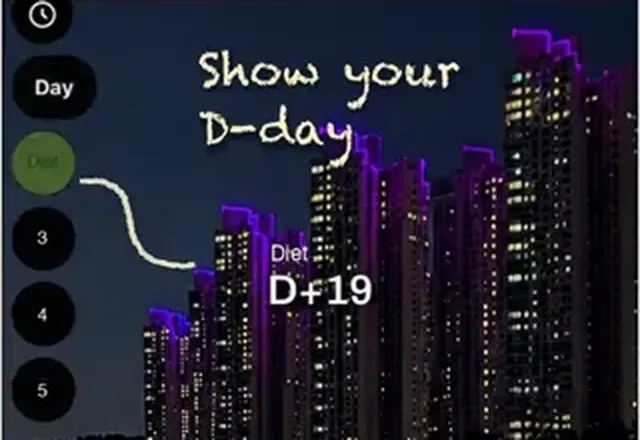 Pick your start day
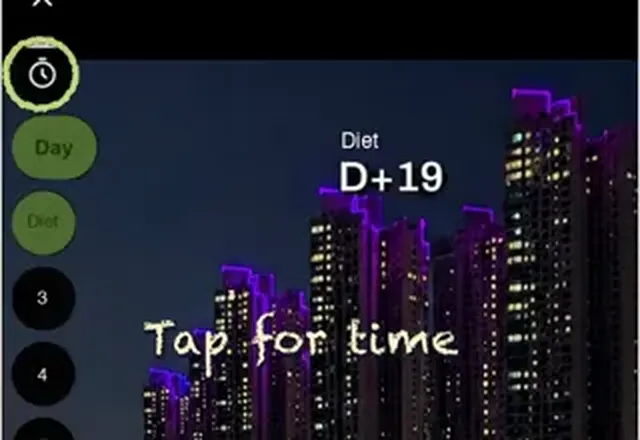 Turn on the date and time
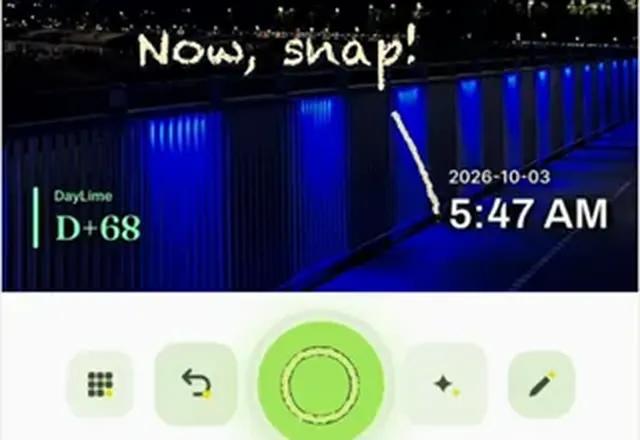 Shoot like you always do
Will dayLime add a dateto my earlier photos?
Earlier photos stay as they are. Stamping the date, time and optional day count begins with a new photo, so the stamp follows that shot's capture time.
About the timestamp cameraWhat should I knowbefore switching?
What is ghost mode?
Ghost mode lays your most recent photo from the same slot over the live camera as a see-through guide, so you can line up the same framing. It is a preview only and is not saved into your photo. The overlay starts at 40 percent opacity and has a slider.
Is the start day D-Day or D+1?
You can choose. By default the start day reads D-Day and the next day D+1. Pick Start at D+1 under Display in the D-Day settings and the start day itself reads D+1, so a 100 day challenge begins at D+1. A third way, Count down to goal, counts the days left until your goal date.
Is dayLime free?
Yes. It is free to download and use, and a banner ad shows on the camera screen. Slots beyond the free ones are a one-time in-app purchase, not a subscription.
What does D+N mean?
D+N is the number of days since your start day, and D-N is the number of days left until a date ahead of you. dayLime works the number out and stamps it on the photo the moment you press the shutter.

Try it on today's photo.


First 2 slots free forever · iOS & Android